 Adawat
Write your name in Arabic calligraphy
Type a name and see it in Kufi, Naskh, Ruqaa, sans and display fonts at once. Customize one, then download it for a profile picture, a story or a logo.
Your name stays on your device
The name is drawn in your browser. Only the font files are fetched from Google Fonts, with just the letters of your name.
Names longer than 40 characters are cut.
55 fonts
The link contains the name you typed, nothing else.
All of these fonts are free to use under the SIL Open Font License, including in logos and print.
Next, try one of these tools
How to use
- 1Type your name, preferably in Arabic letters.
- 2Filter by style and scroll through the cards to find the lettering you like.
- 3Press Customize to change colors, background, size, stretch, frame and output size.
- 4Download the PNG, or share it straight from your phone.
Common uses
A name for a profile picture
Pick a bold Kufi or sans style, a plain background in your brand color and the square output, then use it as your avatar.
A wedding or birthday card
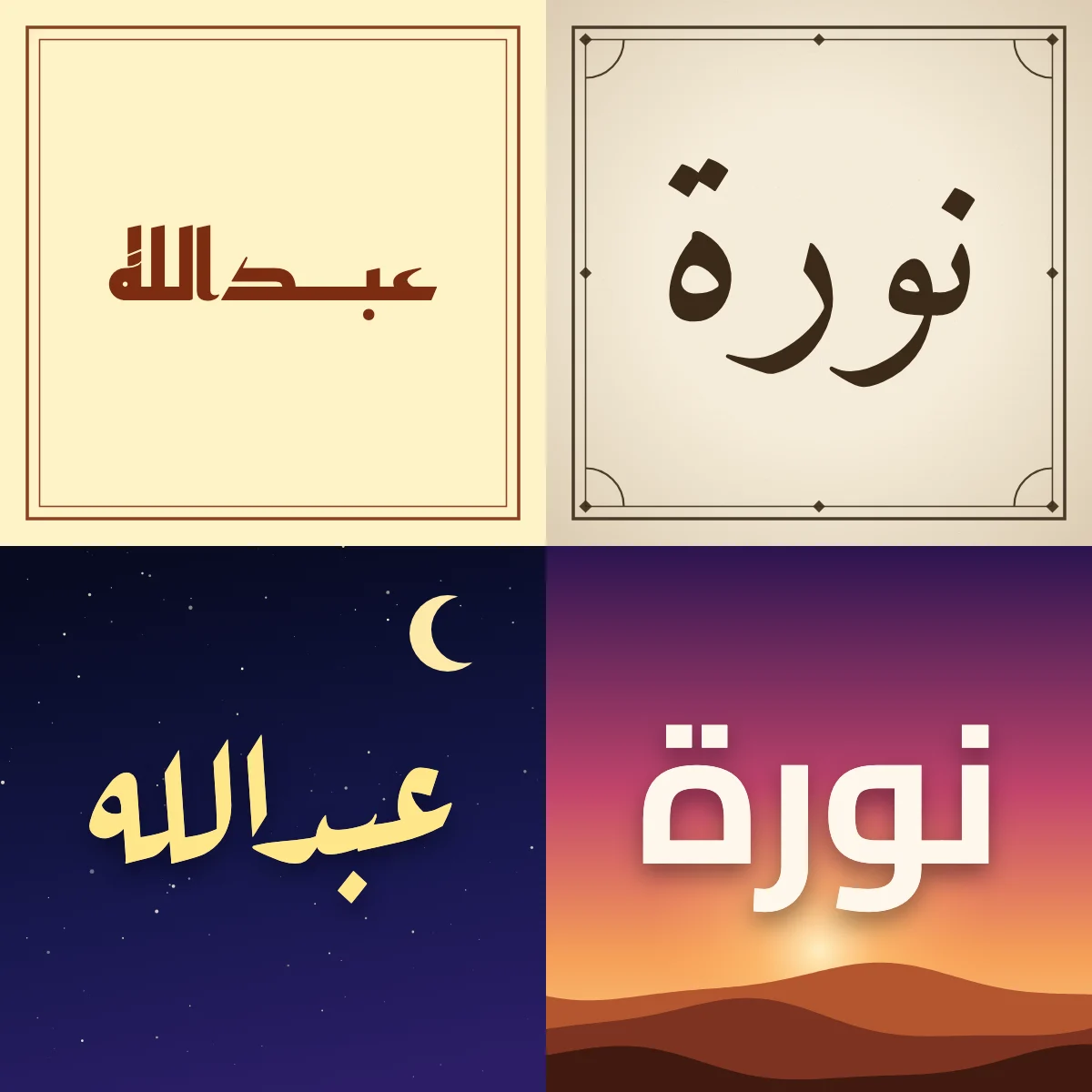
Choose a Naskh or Ruqaa style with the paper background and an ornate frame, then download it and print at 2x.
A story with the desert sunset look
Select the sunset background, light letters with a soft shadow and the 1080 × 1920 story size, ready to post.
Lettering for a small shop logo
Download the transparent PNG at 4x and place it on packaging, a stamp mock-up or a shop sign design.
Tips and limits
- Type the name with its correct hamza and ta marbuta (for example أحمد, سارة); the font draws exactly the letters you type.
- Use the stretch sparingly. One stretch per word usually looks elegant, while stretching every joining letter is better for short names.
- On a photo background, darken the picture a little and keep the letters light, so the name stays readable on small screens.
- Fonts are free to use, including in logos and print, but check the license link on the card if you plan to redistribute the font file itself.
Choosing a calligraphy style for your name
Arabic can look very different depending on the hand that writes it. The same name drawn in Kufi is angular and geometric, in Naskh it is rounded and easy to read, and in Ruqaa it leans forward in a quick, compact line. This tool shows your name in more than fifty free Arabic fonts at once, grouped by those families, so you can compare them in seconds instead of trying fonts one by one. Open Customize on the card you like to change the colors, the background, the size and the output format.
A few details are worth knowing. The stretch control adds tatweel, the long connecting stroke between letters, and it only goes where Arabic really joins: never after ا د ذ ر ز و and never inside لا. Kufi and Naskh take a stretch best, while Ruqaa and handwriting styles already carry their own rhythm. For a logo or a print job, choose the transparent output at 2x or 4x and place it on any color. For a wedding card, pair a calligraphic style with the paper or night background; for a social profile, a bold sans or Kufi stays readable even when the picture is small. If you want to put the same lettering on a photo, add the text to an image afterwards, or compare more styles in Arabic fonts.
A note on names in Latin letters: the fonts here are Arabic fonts, so the best result comes from typing the name in Arabic. When you type a very common name in Latin letters we offer one suggested spelling, but names often have several correct spellings, so always check it. The Google Fonts catalogue has no real Thuluth or Diwani family, which is why the list calls the most ornamental designs display and calligraphic styles. If you are choosing between styles, our guide to Arabic calligraphy styles explains where each one is used, and the signature maker turns the same name into a signature.
The same name in four designs
Step-by-step guides
Frequently asked questions
Which style is best for a logo?
A clean Kufi or sans style works best because it stays clear at small sizes. Download the transparent PNG at 4x so it can be scaled for print.
Why does my English name look odd?
These are Arabic fonts, and many of them have no Latin letters, so your browser substitutes another font. Type the name in Arabic letters for the intended calligraphy.
What does the stretch (tatweel) do?
It adds a long stroke between two letters that join, making a word wider and more decorative. It is never added after letters that do not connect, such as ا or و.
Can I use the images commercially?
Yes for the fonts listed, which are open-license (SIL OFL) and allow commercial use. The name you typed and the design are yours.
How do I get a transparent background?
Open Customize, choose the transparent PNG output and pick 1x, 2x or 4x. The letters are exported on a transparent layer, cropped to the name.
Are my names and photos uploaded anywhere?
No. Names are drawn in your browser and a background photo is only read on your device. Only the font files are requested, with just your letters.