 Adawat
Diff checker
Paste the original and the changed text to see added and removed lines, with highlights inside each changed line.
Your data never leaves your browser
Paste API responses and tokens safely: nothing is sent anywhere.
Original
Changed
Paste text on both sides to see the differences.
Next, try one of these tools
How to use
- 1Paste the original text on one side and the changed text on the other, or drop two files.
- 2Choose side-by-side or unified view, and ignore whitespace or case if needed.
- 3Read the highlights and the added and removed counts.
- 4Copy the unified diff or download it as a .diff file.
Common uses
Reviewing edits
Compare two drafts of an article or a contract to see every change at a glance.
Comparing config files
Find the one line that differs between a working and a broken configuration.
Checking API responses
Compare the JSON returned before and after a change.
Arabic proofreading
Compare a corrected Arabic text with the original, with word-level highlights.
Tips and limits
- Format both JSON texts the same way first, or turn on “Ignore whitespace”, to avoid noise from indentation.
- Large unchanged stretches are collapsed to a few lines of context so the changes stay in view.
- Choose word highlighting for prose and character highlighting for short code lines or identifiers.
- Very long results show the first 4000 rows. Download the .diff for the complete patch.
Compare two texts and see exactly what changed
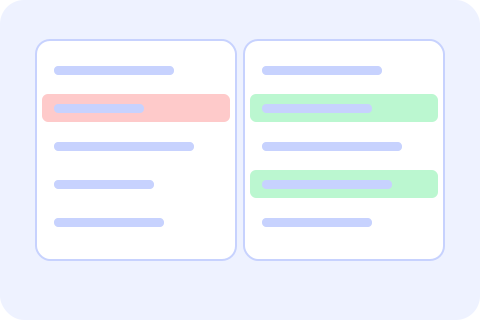
Pasting two versions into a chat and squinting does not scale. Put the original on one side and the changed text on the other and the checker aligns them line by line, marks added lines green and removed lines red, and highlights the words or characters that changed inside each modified line. Choose side-by-side or unified view, ignore whitespace or letter case when you only care about content, and swap the sides with one click. Counts of added, removed and unchanged lines appear above the result.
It works for code and for prose. Each pane has a right-to-left switch, so Arabic paragraphs read correctly while the code editor frame stays left to right. Copy the result as a unified diff, the format Git and patch tools understand, or download it as a .diff file. Inputs up to 20 MB are compared in a background worker. Tidy two JSON documents with the JSON formatter before comparing so only real differences show, decode two tokens with the JWT decoder to compare their payloads, and see what a JWT is for what such a payload holds. For binary files, compare their hashes with the hash generator.
Step-by-step guides
Frequently asked questions
How do I compare two texts online?
Paste the original on the left and the changed text on the right. Differences appear below as you type.
What is a unified diff?
A compact text format with - for removed lines and + for added lines, understood by Git and patch tools. You can copy or download it.
Can I ignore whitespace or case?
Yes. Turn on Ignore whitespace or Ignore case. Lines that differ only in those ways are treated as equal.
Does it work with Arabic?
Yes. Turn on the right-to-left switch for a pane to read Arabic text properly, and the highlights work at word level.
Is my text uploaded?
No. The comparison runs in your browser, in a background worker for big inputs.