 Adawat
Color palette generator
Create balanced palettes in one press. Lock the colors you like, see HEX, RGB, HSL and OKLCH values, and export in the format you need.
Everything runs in your browser
Your colors, text and images are not uploaded anywhere.
Press Space to generate (click an empty part of the tool first). Lock a color to keep it.
- Aa 16.015.99:1 on white
- Aa 6.36.29:1 on white
- Aa 7.07.04:1 on black
- Aa 14.114.08:1 on black
- Aa 18.818.78:1 on black
Export
Recent palettes
Palettes you generate appear here (saved on this device only).
Next, try one of these tools
How to use
- 1Pick a harmony such as analogous, complementary or triadic, and the number of colors.
- 2Press Space or the Generate button until a palette feels right. Lock the colors you want to keep.
- 3Drag swatches to reorder them, or click a color to fine-tune it.
- 4Export as CSS variables, a Tailwind config, JSON, SVG or PNG, or copy the share link.
Common uses
A new website or brand
Lock your brand color and let the generator suggest supporting colors that sit well beside it.
Slides and documents
Make a calm monochrome set for a presentation, with a single accent for highlights.
App and dashboard design
Generate a shades palette from one hue to build backgrounds, borders and text levels.
Chart colors
Use a triadic or complementary palette to keep chart series distinct.
Tips and limits
- Lock a color you already love and generate the rest around it. The new colors take their hue from the first locked color.
- Check the contrast number on each swatch before you put text on it. Below 4.5:1 is hard to read for normal text.
- Palettes you generate are saved in this browser only, in the recent list. Copy the link to keep one elsewhere.
- Colors outside the sRGB range are pulled back inside it, so what you see is what you can use on the web.
Balanced palettes in one press
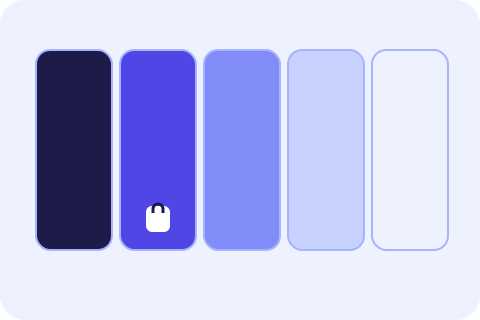
A good palette is about relationships, not single colors. This generator builds palettes in OKLCH, a color space where equal steps in lightness look equal, so the results feel balanced instead of random. Pick a harmony: random but pleasing, analogous, complementary, triadic, monochrome or shades of one color. Press Space or the button to try another, lock the colors you want to keep, drag swatches to reorder them and use three to ten colors.
Every swatch shows HEX, RGB, HSL and OKLCH values you can copy with a click, plus the best text color on it (black or white) and the WCAG contrast ratio. Export the palette as CSS variables, a Tailwind config, JSON, SVG or a PNG with labels, or copy a link that holds the colors after the #. If you start from a photo, extract its colors and open them here, tune individual values in the color converter and build a smooth blend with the gradient generator. Our guide on choosing website colors explains how to give each color a job.
Step-by-step guides
Frequently asked questions
What is OKLCH and why use it?
OKLCH describes color as lightness, chroma and hue in a way that matches how we see. Equal lightness steps look equal, which makes generated palettes look balanced.
How do I generate a palette?
Press the Generate button or the Space bar, once you have clicked an empty part of the tool. Lock any colors you want to keep.
Can I use the palette in CSS or Tailwind?
Yes. Open the Export tabs and copy CSS variables or a Tailwind config, or download JSON, SVG or PNG.
How do I share a palette?
Copy the link from the Link tab. The colors are stored in the part after the #, which is not sent to any server.
Can I add or remove colors?
Yes, from three to ten. Use the Colors menu or the Add and Remove buttons on the swatches.