 Adawat
CSS gradient generator
Design a gradient with draggable color stops, copy the CSS in one click, or save it as a wallpaper in a size you choose.
Everything runs in your browser
Your colors, text and images are not uploaded anywhere.
Presets
Color stops
- 0%
- 100%
CSS
Download as PNG
Next, try one of these tools
How to use
- 1Choose linear, radial or conic, or start from a preset.
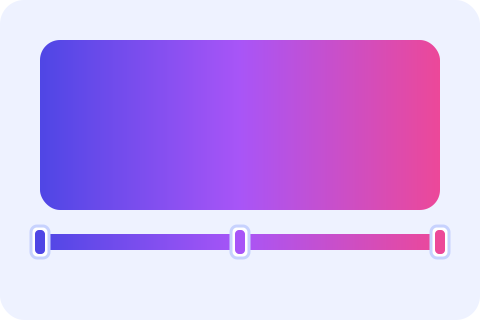
- 2Drag the handles on the bar, or edit each color stop and its position.
- 3Adjust the angle or the center, and copy the CSS.
- 4Pick a size such as a phone wallpaper and download the gradient as a PNG.
Common uses
Website hero backgrounds
Create a soft linear gradient behind a heading and paste the CSS into your stylesheet.
Phone wallpapers
Download a 1080 × 1920 conic or radial gradient as a simple, unique wallpaper.
Social media backgrounds
Make a square gradient for an Instagram post and place text on it.
Buttons and cards
Use a subtle two-stop gradient to give a button depth.
Tips and limits
- Gradients between colors with very different lightness can look banded. Add a middle stop to smooth the transition.
- Conic gradients are great for color wheels and pie-like effects. The angle rotates where the sweep starts.
- Text on a gradient needs readable contrast at every point, so check both the lightest and darkest areas.
- The PNG is drawn at the exact size you choose, up to 8000 pixels on a side.
Design a CSS gradient you can copy or download
Writing gradient code by hand means guessing angles and percentages. Here you see the result as you work. Choose linear, radial or conic, drag the handles on the gradient bar to move color stops, edit each stop’s color and position, and set the angle or the center. Start from one of nine presets if you would rather change something than begin from nothing. The CSS updates live, with an optional solid fallback color line for very old browsers.
When it looks right, copy the CSS or download the gradient as a PNG in a phone wallpaper size (1080 × 1920), a desktop size (1920 × 1080), an Instagram post (1080 × 1080) or your own width and height. Pick stop colors with the color palette generator, fine-tune them in the color converter, and read how to choose website colors if you want help making them work together.
Step-by-step guides
Frequently asked questions
How do I make a CSS gradient?
Choose a type, set two or more color stops, then copy the generated background: linear-gradient(...) line into your CSS.
What is a conic gradient?
A gradient that sweeps around a center point like a color wheel, instead of running along a line or out from a point.
How do I add or move color stops?
Use Add color stop, or drag the handles on the bar. You can also set each stop’s position with its slider or the arrow keys.
Can I download the gradient as an image?
Yes. Choose a size, then press Download PNG.
Why is there a solid color line before the gradient?
It is a fallback for browsers that do not understand gradients. You can turn it off.