 Adawat
Math worksheets generator
Pick the operations and the number ranges, choose vertical or horizontal layout, and get a printable worksheet with an optional answer key.
Your worksheets are made on your device
Nothing is uploaded. Names you type in the header are used only to draw the PDF.
Page and header
Next, try one of these tools
How to use
- 1Choose one or more operations and the range of numbers for each side.
- 2Set the number of problems and pick vertical or horizontal layout.
- 3Preview the sheet and press “New worksheet” for a different set of problems.
- 4Download the PDF or print it, with the answer key on a separate page if you like.
Common uses
Warm-up at the start of a lesson
Print twelve mixed problems and let students finish them while you take the register.
Differentiated homework
Make one sheet with small numbers and another with larger ones for the same topic.
Learning to carry and borrow
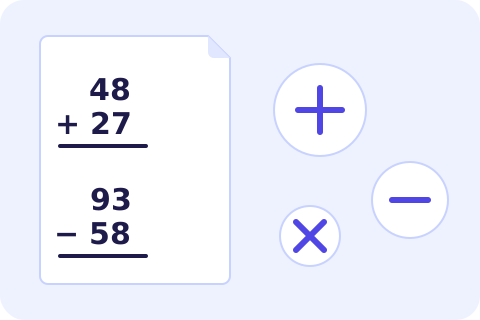
Use vertical layout with two- and three-digit numbers to practise column methods.
Home practice
Parents can generate a few problems for weekends or holidays, with the answers on a separate page.
Tips and limits
- Keep the first number range larger than the second for subtraction so the problems stay interesting and the answers are positive.
- For division, small divisors such as 2 to 10 and dividends up to 100 give friendly whole-number quotients.
- A sheet of 12 to 20 problems is usually enough for one sitting; longer sheets are better split across two days.
- Fold the answer-key page away before giving the sheet to children, or print it only for yourself.
Math practice at exactly the right level
A good practice sheet is hard enough to make a child think and easy enough to finish. The difficulty of this math worksheet generator is in your hands: pick addition, subtraction, multiplication, division or any mix, then set the range of numbers on each side. Two-digit plus one-digit, three-digit minus two-digit and quotients of whole numbers are all a matter of changing four boxes. “New worksheet” draws a different set of problems at the same level, so you never run out.
Choose between vertical problems, stacked as children write them in class, and horizontal problems on a line. Subtraction can be set never to give a negative answer, and division always comes out as a whole number, so younger children do not meet remainders before they are ready. Numbers can use Arabic-Indic digits or Western digits, and the header has lines for the school, name, class and date. Add the answer key and it prints on its own page. For times tables only, use the multiplication worksheets; to turn the facts into a game, make a deck with the flashcard maker.
Not sure how to use worksheets well? The advice in free tools that help in the classroom covers routines that make practice stick.
Step-by-step guides
Frequently asked questions
Can I mix addition, subtraction and the other operations?
Yes. Select several operations and each problem is chosen from them at random, with a fair share of each.
Will subtraction ever give a negative answer?
Not when “no negative answers” is ticked. The larger number is always placed first in the problem.
Are division answers whole numbers?
Yes. Each division problem is built from a divisor and a quotient, so there is never a remainder or a decimal.
How many problems can I print?
From 6 to 48. Vertical sheets hold 24 per page and horizontal sheets 28, and longer sets continue on a second page.
Are the numbers I type stored or uploaded?
No. The worksheet is created in your browser, and only the PDF you download leaves the page.