 Adawat
Printable multiplication worksheets
Choose the times tables, the number of problems and the layout, then download a fresh worksheet as a PDF with an optional answer key.
Your worksheets are made on your device
Nothing is uploaded. Names you type in the header are used only to draw the PDF.
Page and header
Next, try one of these tools
How to use
- 1Choose the times tables (1 to 12) and how many problems you want.
- 2Pick the layout: rows, a grid, or a table to fill in. Add missing-factor problems for a challenge.
- 3Check the preview, press “New worksheet” for a different set, and fill in the header labels.
- 4Download the PDF or print it. Add the answer key page if you need it.
Common uses
Daily practice
Print a ten-minute sheet of the table your class is on and use it as a warm-up.
Homework with different versions
Press “New worksheet” for each group so neighbours cannot copy each other.
Fast finishers
Give early finishers a missing-factor sheet that asks for more thinking.
Revision before a test
Combine all the tables learned so far into one random 40-problem sheet.
Tips and limits
- Start with one or two tables and add more as they become easy. Twenty problems of one table builds confidence better than sixty of everything.
- Use “in order” for a child meeting a table for the first time, and “random” once the facts are known.
- Check the preview before printing. The sheet is made for A4 in Arabic and for A4 or US Letter in English.
- Keep the answer key for yourself: it prints on its own page, so you can leave it out of the pile you hand out.
A fresh multiplication sheet every time
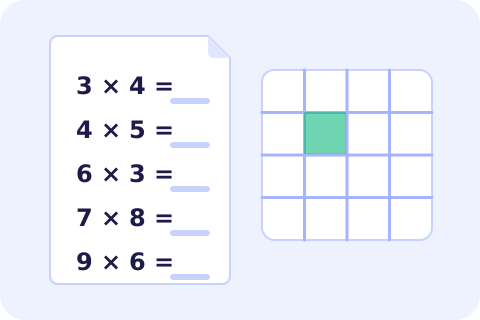
Children learn the times tables through short, regular practice, and a teacher or parent can run out of fresh worksheets quickly. This generator makes a new multiplication sheet in a few seconds. Choose the tables you are working on, from 1 to 12, decide how many problems you want, and pick whether they come in order or at random. The preview updates as you change the options, and “New worksheet” draws a different set at the same level, so every child can have their own copy.
You can choose how the sheet looks: a plain list of rows, a grid of boxes, or a table to fill in, with the chosen tables down the side and 1 to 12 across the top. For a challenge, hide a factor instead of the product (3 × __ = 12) so children think about division as well. Numbers can be written in Arabic-Indic digits (٣ × ٤) or Western digits, and the header has lines for the school, name, class and date. Turn on the answer key and it is added on a separate page. For other operations use the math worksheets, and practise the same facts with flashcards.
More ideas for practising at home are in how to teach Arabic letters at home, which also applies to number facts.
Step-by-step guides
Frequently asked questions
How many problems can a sheet have?
From 10 to 60 on a single page. In table mode the grid always shows the chosen tables against 1 to 12.
What is a missing-factor problem?
It hides one of the numbers being multiplied, as in 3 × __ = 12, so the child finds 4. Mixed mode uses both kinds.
Can I get Arabic-Indic digits?
Yes. Choose Arabic-Indic or Western digits under Page and header. Arabic sheets use Arabic-Indic digits by default.
Is the worksheet or the name I type uploaded?
No. The sheet is drawn in your browser, and the names you type are used only to make the PDF on your device.
Does it print well on a school printer?
Yes. The PDF is made at 200 dpi in black and white with light guides, so it prints cleanly even on a basic laser printer.