 Adawat
Hash generator
Get MD5, SHA-1, SHA-256, SHA-384, SHA-512 and CRC32 of any text or file at once, optionally with an HMAC key.
Your data never leaves your browser
Paste API responses and tokens safely: nothing is sent anywhere.
Text to hash
Results
Type some text or choose a file.
Compare with an expected hash
Paste the hash a website gave you for the download. Case and spaces do not matter.
Next, try one of these tools
How to use
- 1Choose Text or File and enter your input.
- 2Read all hashes at once, or turn on HMAC and enter a key.
- 3To check a download, paste the expected hash and read the match result.
- 4Copy any hash.
Common uses
Verifying a download
Hash an installer or a disk image and compare it with the checksum on the publisher’s site.
Checking two files are identical
Hash both and compare the results, even if their names and dates differ.
Webhook and API signatures
Reproduce an HMAC-SHA256 signature to debug a mismatch.
Quick fingerprints
Get a CRC32 or SHA-256 of a piece of text for a cache key or a test.
Tips and limits
- MD5 and SHA-1 are fine for checking accidental corruption but are broken for security. Use SHA-256 or stronger when security matters.
- Hashing is one-way and is not encryption. Do not store passwords with a plain fast hash; use a dedicated password hashing function on the server.
- A trailing newline changes a hash. If a text hash does not match, check for a hidden line break or space.
- HMAC needs the exact same key and message on both sides. Even a different character encoding will change the result.
Hash text and files with every common algorithm
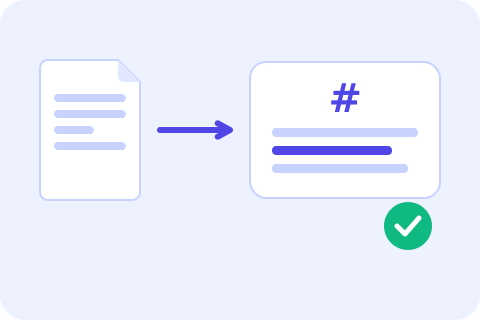
A hash is a fixed-length fingerprint of data: change one byte and the fingerprint changes completely. Type text or choose a file and this tool shows MD5, SHA-1, SHA-256, SHA-384, SHA-512 and CRC32 together. SHA hashes come from your browser’s Web Crypto engine; MD5 and CRC32 are built in and checked against the standard test vectors. Switch on HMAC and enter a key to get keyed SHA hashes, the kind used to sign webhooks and API requests.
To check a download, paste the hash the publisher listed into the compare box: the tool ignores case, spaces and a prefix like sha256: and says whether it matches any result. Files are read in chunks inside a background worker with a progress bar. MD5 and CRC32 stream through any file up to 2 GB; SHA hashes need the whole file in memory, so they are computed up to 256 MB. Other tools that pair well with it: Base64 for the encoded form of bytes, the UUID generator for unique ids, and what a JWT is for how an HMAC signs a token.
Step-by-step guides
Frequently asked questions
How do I get the SHA-256 of a file?
Open the File tab, choose the file and read the SHA-256 row. Large files show a progress bar while they are processed.
How do I check a downloaded file against its checksum?
Hash the file, paste the expected value into “Compare with an expected hash” and look for the match message.
What is HMAC?
A hash combined with a secret key, used to prove a message came from someone who knows the key and was not changed.
Which algorithms are supported?
MD5, SHA-1, SHA-256, SHA-384, SHA-512 and CRC32, plus HMAC with the SHA family.
Are my files uploaded?
No. Hashing runs in your browser, in a background worker for files, so the data stays on your device.