 Adawat
Typing speed test
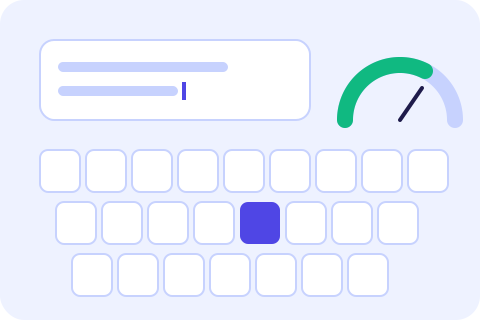
Measure your words per minute and accuracy in Arabic or English. Choose 15, 30, 60 or 120 seconds and share your result.
Click the text and start typing. The timer starts with your first key.
Next, try one of these tools
How to use
- 1Choose Arabic or English and how long the test should last.
- 2Click the text and start typing. The clock starts with your first key.
- 3Keep going until time runs out. Mistakes are highlighted in red; you can correct them.
- 4See your WPM, accuracy and a speed chart, then try again or download a result card.
Common uses
Students preparing for exams
Many typed exams reward speed. Test yourself weekly and watch the number rise.
Job applicants
Some roles ask for a minimum typing speed. Check yours before an assessment.
Learning a new keyboard layout
Practise in English or Arabic and compare your speed in each language.
Friendly competitions
Challenge a friend or a class and compare result cards.
Tips and limits
- Accuracy matters more than raw speed at first. Slow down until you make few mistakes, and speed will follow.
- Every 5 correct characters count as one word, in both languages, divided by the minutes used. Raw WPM counts everything you typed, including mistakes.
- On a phone, tap the text to open the keyboard. Suggestions and input methods are supported, and the unfinished word is not marked wrong until you finish it.
- The practice texts are original paragraphs about everyday topics, so you will not memorise them quickly. Press Esc or Tab to restart with a new one.
Find out how fast and how accurately you type
Typing is a skill that improves with a little regular practice, and the first step is knowing where you stand. Choose Arabic or English and a duration of 15, 30, 60 or 120 seconds, click the text and start typing. The clock starts with your first key, mistakes are highlighted as you go, and at the end you see your words per minute, accuracy, raw speed and a chart of how your speed changed during the test. You can download a result card to share.
The Arabic test runs right to left and ignores diacritics (tashkeel) and tatweel when comparing, so it measures typing, not spelling marks. Your personal best for each language and duration is saved in your browser only. Try a test as a warm-up before a study block with the Pomodoro timer, or time yourself over a minute with the timer. To make practice a habit, our Pomodoro study guide shows how to fit short sessions into a day.
Step-by-step guides
Frequently asked questions
How is WPM calculated?
Every 5 correct characters count as one word, divided by the minutes used. The same rule is used for Arabic and English. Raw WPM counts all characters typed, including mistakes.
How is accuracy measured?
It is the share of your keystrokes that were correct, including mistakes you corrected later, so it reflects how cleanly you type.
Does it work for Arabic typing?
Yes. The text runs right to left, diacritics (tashkeel) and tatweel are ignored when comparing, and Arabic and English punctuation and digits are treated as equal.
What is a good typing speed?
Around 40 words per minute is common for everyday typists, and 60–80 is fast. Accuracy above 95% matters as much as speed.
Can I use my phone?
Yes. Tap the text to open the keyboard. Suggestions and input methods are supported, and the unfinished word is not marked wrong until you finish it.
Are my results saved?
Your personal best for each language and duration is saved in your browser only.