 Adawat
How to Split Students into Groups Fairly
4 min readBy The Adawat team
The fairest way to split students into groups is to decide the group size first, then let chance do the dealing so nobody feels chosen or left out. A tool such as the random group generator does this in seconds and makes group sizes differ by no more than one student.
Random does not mean careless, though. This guide shows how to decide how many groups you need, when to override chance on purpose, and how to handle the awkward cases: absent students, leaders and students who should not work together.
Steps
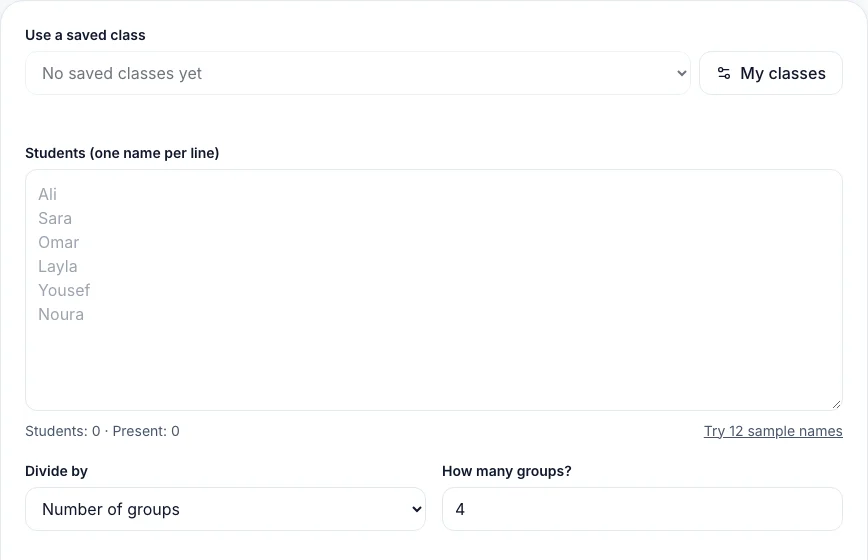
Have your class list ready. If you will use the tool often, save the class once so you can load it in a click.
- 1
Decide what the groups are for
A five-minute discussion pair, a forty-minute project team and a set of learning stations need different sizes. Write down the activity first, because the activity decides the size.
- 2
Choose the size or the number
Pick “students per group” when the task needs a fixed size, such as pairs or fours, and “number of groups” when you have a fixed number of stations. If the class does not divide evenly, a few groups will have one more student; that is the fairest split.
- 3
Load the names and remove absentees
Paste the class or load it from “My classes”, then tick the students who are away today. They stay on your list but are left out of the groups, so you are not rebuilding the list every day.
- 4
Add rules only where you need them
If two students distract each other, add them as a “keep apart” pair. Give each group a leader if the task needs someone to report back. Every extra rule limits chance, so keep them few.
- 5
Make the groups and check them
Press “Make groups”. Look at the result as a teacher: if the mix is clearly unhelpful, press “Shuffle again” rather than editing by hand. Students accept a second draw more easily than a teacher’s override.
- 6
Show the groups clearly
Use the projector view for large text, or print or download the groups as an image. Name them with colors or numbers so you can call “blue group” across the room.
- 7
Give groups a job and a time
Start the timer on the board when work begins. Groups work better when the time and the product are clear, for example “a poster in fifteen minutes”.
When to choose groups yourself
Chance is ideal for most activities, but you may sometimes want to choose on purpose: pairing a confident reader with a student who is still learning, or separating a team that always wins. A good habit is to alternate. Use random groups most of the time so that students expect to work with everyone, and choose groups yourself when you have a specific teaching reason.
If you only need to choose one student, a leader or a presenter, the spin wheel is a fun and visible way to do it, and students can see that the choice is not personal.
Common problems
The same students keep ending up together
With a small class that can happen by chance. Press “Shuffle again”, or add the pair to “keep apart” for this activity only.
The tool says the rules cannot be met
Too many keep-apart pairs for too few groups cannot be solved. Increase the number of groups, remove a pair, or choose a smaller group size.
A group is left with one student
That happens when you ask for a group size that does not divide the class and the tool is allowed to leave one over. Here the sizes differ by at most one, so a group of one only appears if you ask for groups larger than the class.
Students complain that groups are unfair
Show that the draw is random and use the same rule for everyone. Rotating groups regularly also removes the feeling of being stuck.
Frequently asked questions
How big should a group be?
Pairs suit quick discussion, groups of three or four suit projects, and bigger groups need clear roles. More than five usually leaves someone out of the work.
Should groups be mixed ability?
Often, yes, for projects and discussion, but not always. Random groups mix abilities by chance, and you can regroup by ability for targeted practice.
How often should I change the groups?
Change them for each new activity or at least every week or two, so students work with many classmates and no group becomes a fixed team.